
AI Document Reading
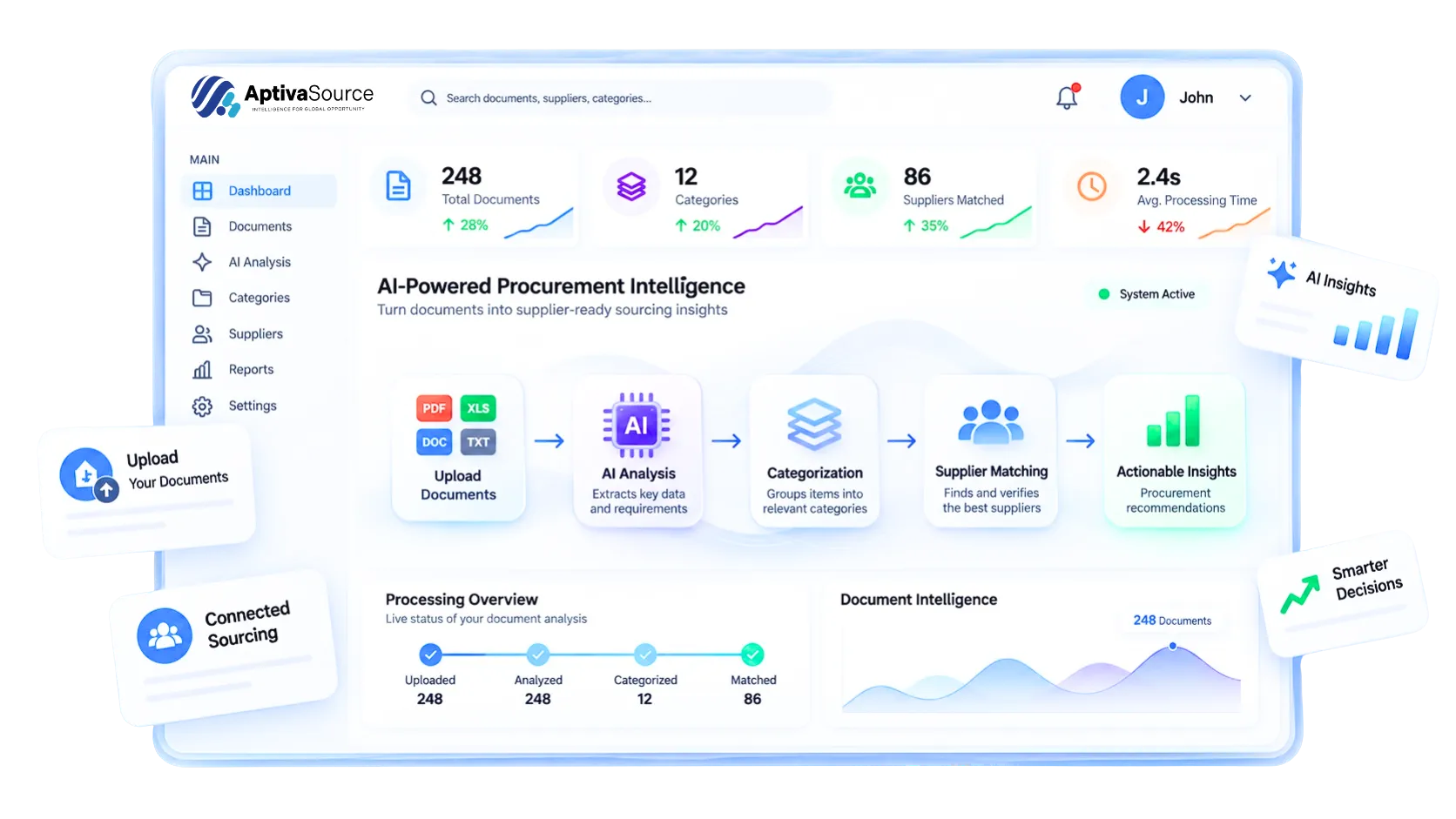
Upload RFQ documents in PDF, Word, or Excel format. AI extracts products, quantities, dimensions, and specifications into structured line items. AutoCAD, image, and video support is planned.
AptivaSource early access is open — join buyers and suppliers building smarter sourcing workflows. Register now
Everything buyers and suppliers need to run RFQs, find the right partners and decide with confidence, in one procurement marketplace.
Upload RFQ documents in PDF, Word, or Excel format. AI extracts products, quantities, dimensions, and specifications into structured line items. AutoCAD, image, and video support is planned.
The AptivaSource team reviews each AI-generated RFQ against your original documents and finalizes the requirements with you before publishing.
Match RFQs with reviewed suppliers based on trade categories, product categories, capabilities, and geographic coverage. You decide which suppliers receive each RFQ.
Suppliers submit quotations in a standardized format covering unit prices, total costs, delivery timelines, technical compliance, commercial terms, and supporting documents.
Compare supplier quotations side by side, request clarifications or revisions, approve or reject suppliers, and award orders with greater confidence.
Buyers track active RFQs, pending quotations, and awarded orders. Suppliers monitor RFQs received, submitted, won, and lost, with email and in-app alerts for new RFQs, quotations, and deadlines.
Upload BOQs, specifications, or item lists, or enter products manually with quantities, specifications, and delivery requirements.
AI reads your documents, identifies individual items, groups them by category, and flags duplicates for review.
Our team reviews the draft against your original documents, validates the requirements, and confirms the final RFQ with you before release.
Selected suppliers receive the RFQ, access supporting documents, and submit priced quotations before the deadline.
Review quotations side by side, request clarifications, and receive revised quotes while keeping all questions and responses linked to the original RFQ.
Select your preferred supplier, award the order, and keep procurement communication and records organized in one place.
Whether you buy, supply or support procurement, there is a place for you on AptivaSource. Early access registration is free.
Businesses and individuals who source products and services for their projects.
Companies that supply products or services, locally or across borders.
Organisations that help buyers and suppliers adopt a clearer way to source.